#63 - 👨🏫 Easily create tutorials and the browser apocalypse
Greg Taieb · · 6 min read
Hello,
How are you this week? Last week you may have noticed (or not) but there was no newsletter.
The reason? Lack of inspiration and not wanting to publish a light newsletter. And yet it worked for me because I carried around all week the unpleasant feeling of having missed an appointment. For not having respected a commitment.
It's stupid when you think about it but it worked for me...
As you know the regularity of this meeting is one of the pillars of this newsletter and I have long established this as a non-negotiable principle.
So what do we do when we don't have the inspiration or the mojo to publish?
Everyone will have a different answer. But I am too keen on the principle of “don’t break the chain” from Seinfield to space out this publication. And I would be too afraid that a one-week break would become a month-long break and that I would never start writing again.
So in the future, even if it’s a few words or 2-3 links, I will try to be regular. And then with the switch to the weekly rhythm of our podcast, I inevitably have something to share with you every week 😘.
Anyway I have a great program for you this week after this long intro so enjoy and don't forget to leave your opinion after reading.

😅 Why Chrome, Edge and Firefox risk crashing thousands of sites with their next update?
In the series “I didn't see it coming” I would like to share with you this rather incredible information which recalls the bug of the year 2000 (for the oldest of my readers).
What is it?
Coincidence or not, the 3 most used browsers in the world will soon move to version 100. And this change risks crashing a lot of websites (we can cite Yahoo! but there must be plenty of other examples).
And it is precisely the fact that the browser version is now made up of 3 digits which is a problem.
Why version 100 is causing sites to crash ?
You have certainly already noticed that when you arrive on a site, it happens that the version of your browser is too old to navigate. Even if it is always recommended to update your browser and the operation is often done transparently, it can happen.
The site actually checks if your version is too old based on the first 2 digits of your version.

The problem is that many sites only know how to read the first 2 digits when they check a version. So when we move to version 100, they will think that we are at version 10 and therefore the site will think that our version is too old to display the site.
The problem is that it is very difficult to predict before the launch of these versions 100 how many sites and which sites will be affected...
One of the solutions considered by Mozilla and Google is to freeze the version of their browsers at 99 by inventing a new way of numbering them.
So to be continued but I think we haven't heard the last of this subject...

👩💻 Two Chrome extensions to easily create your tutorials
Whether we use an online tool, an application or any other service, we often need to document a process.
This often takes the form of an illustrated step-by-step guide.
But no one does it because we consider that it takes too much time because you generally have to make screenshots, comment on them and put them in a doc.
This is because many people have stuck to this cumbersome approach. that they do not document their processes, which causes a lot of problems when they change jobs.
However, there are very simple and very quick ways to resolve the problem. Now producing a tutorial takes barely more time than carrying out the action you want to document.
Here we go with 2 tools that will make your life easier.
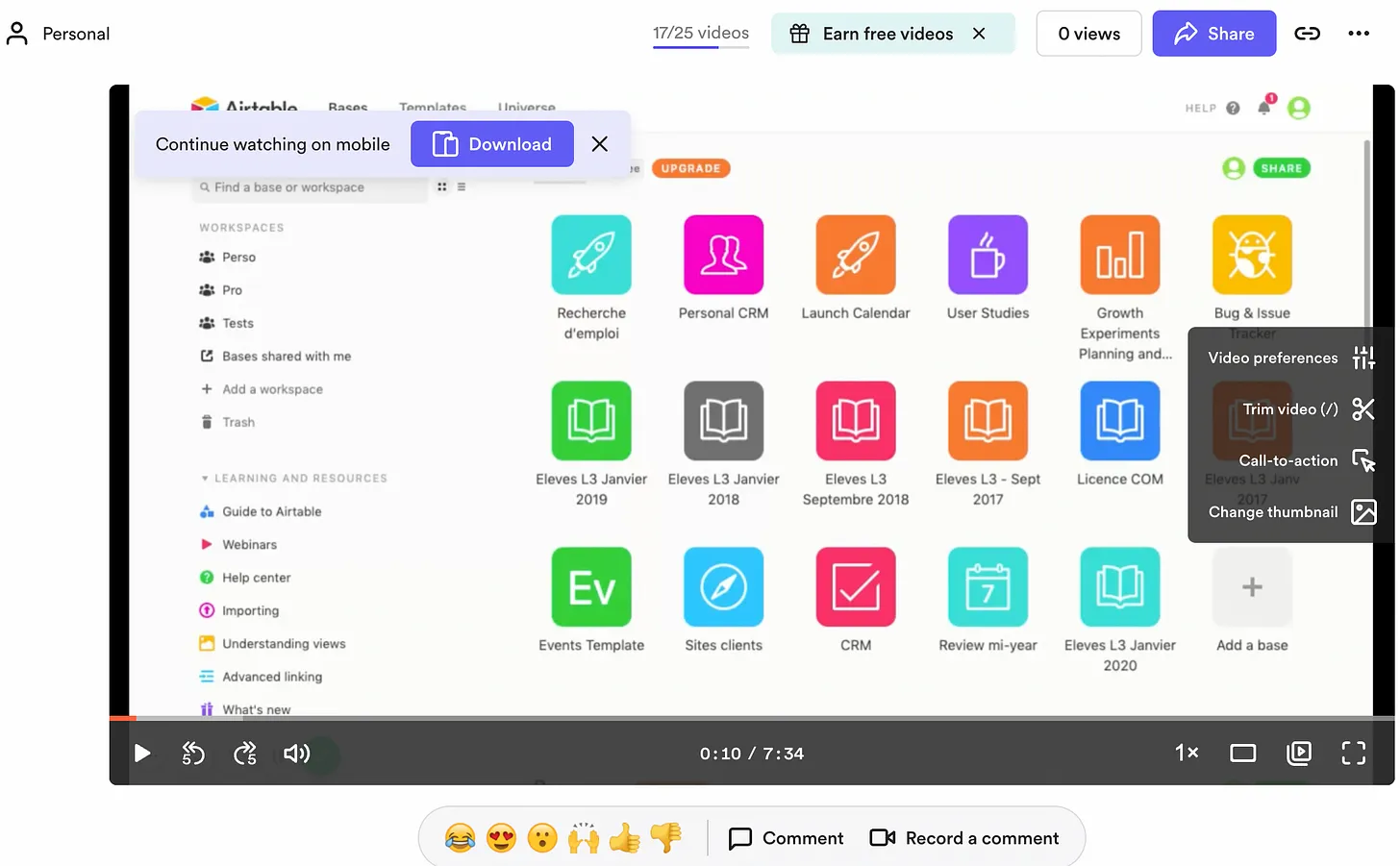
- Loom: the best known, allows you to create a video tutorial. You can comment with your microphone and the camera on what is displayed on the screen. An editing tool is available allowing you to reduce the video and even add a call to action button. You can share the videos by email or even integrate them on a site like a Youtube video.
The free plan allows you to record up to 25 videos of 5 minutes max.
- Gluu: this application which has just been released presents a rather interesting approach. Once you have started recording a sequence from your browser, Gluu records all the steps in the form of screenshots with the instruction each time (eg: click on the button, etc.). You can then edit the sequence, the images that compose it and save everything. It takes the form of a presentation where you can edit each slide. This is very practical because if a screen changes, there is no need to redo the entire tutorial (unlike a video).
You can see a example here and in the long term, many export formats will be offered (HTML, video, powerpoint,…)
Now you no longer have any excuse not to document your work 😅.

🎙 The podcast of the week
In the latest episode of Encore Un Podcast Tech we introduce you to the business of Internet dealers in Mexico. Nothing to do with the series Narcos on Netflix (which I recommend to you by the way).
We are talking here about the way in which individuals connect entire villages to the Internet with their own means to remedy the white zones which mean that a large part of the country does not have access to the Internet.
In short, a real public service mission which is not without its problems.
🔍 Why does Google want to evolve its home page?
I can assure you I want to warn you every time that a company is going to update its homepage but I think that Google being Google, it deserved to focus on it.
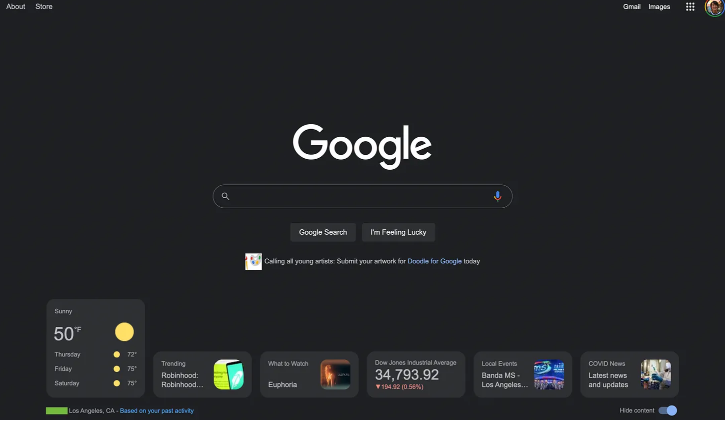
We learn in fact via the site 9to5 Google, that a makeover is currently being tested incorporating the presence of a a number of widgets:
- Weather
- News
- Videos
- Stock prices…
Why is this important?
On the one hand, Google.com is the page the most used default home page in the world and it is loaded hundreds of millions of times a day.
On the other hand because Google very rarely moves its page and sobriety has always been the main argument.
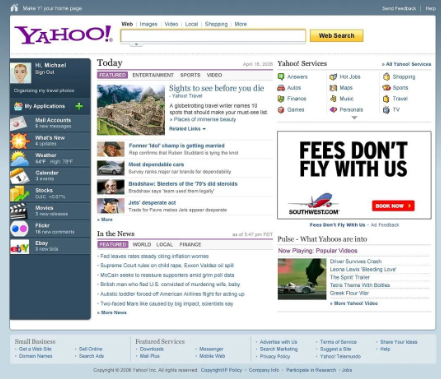
So adding mess, like the weather, the stock market or hot news is reminiscent of the darkest hours of web portals like Yahoo or Altavista.
The reason is that Google is becoming a less and less natural gateway to access the web.
For videos we will favor Youtube (which is the 2nd search engine in the world) which is not very serious because we stay with Google.
For products, it is Amazon which becomes the reference (54% of product searches are done on Amazon).
For places geolocation filters from social networks (Instagram & Tiktok) in head offer fresher content.
In short, there is a real challenge for Google to push its services a little more and get users to re-appropriate its home page.
Not sure that the widget approach is the best solution but we will see.
And you, do you still use Google as much or do you feel your searches shifting to other sites?