2024 review: the AI tools that changed my life
Greg Taieb · · 6 min read
My journey with artificial intelligence is part of a significant evolution over three distinct years. From April 2022 with Remi we discussed the potential of AI in our podcast.
But this It was only at the end of 2022 that I took my first steps with ChatGPT, a discovery that aroused my curiosity and made me see the potential of these technologies. The year 2023 was characterized by the emergence of numerous first generation applications, certainly promising, but often limited in their functionalities and their practical integration.
It was truly in 2024 that I noticed a major shift in my daily uses of AI. This year saw the emergence of much more mature applications, offering a fluid user experience and concrete use cases, particularly with the arrival of multimodal allowing vision and voice to be added to the experience of these conversational agents. This technological maturity has resulted in a natural integration of AI into my professional and personal daily life.
This transition was not limited to a simple technological evolution; it represents a real paradigm shift in my way of approaching work and creation. Today, not a day goes by without me using AI in one form or another, a sign of its successful integration into my daily processes.
In this article I will spare you the review of all the tools that I have tested and focus on those that I use on a daily basis and which have passed the most difficult test: that of time.
1. Writing and transcription tools ✍️
ChatGPT on a daily basis... and a bit of Claude
I use ChatGPT several times a day for lots of useful things. Whether it is to help my children with their homework (by explaining concepts that I do not understand), inventing exercises or correcting them, writing professional emails or finding creative ideas, ChatGPT has become an essential tool.
Conversation mode is also an excellent way to interact with these models, especially when you add vision. You can share with the AI assistant what you see and ask it to help you.
We're not very far from the Jarvis-type assistant in Iron Man.
Real-time vision is finally here.
— Alvaro Cintas (@dr_cintas) December 11, 2024
You can now stream audio and video with Google’s new Gemini Stream Realtime feature.
It can even see your screen and help you with what you are working on. pic.twitter.com/eBc4Ze72BB
Now that it can also analyze images, it's even more convenient. 🌍
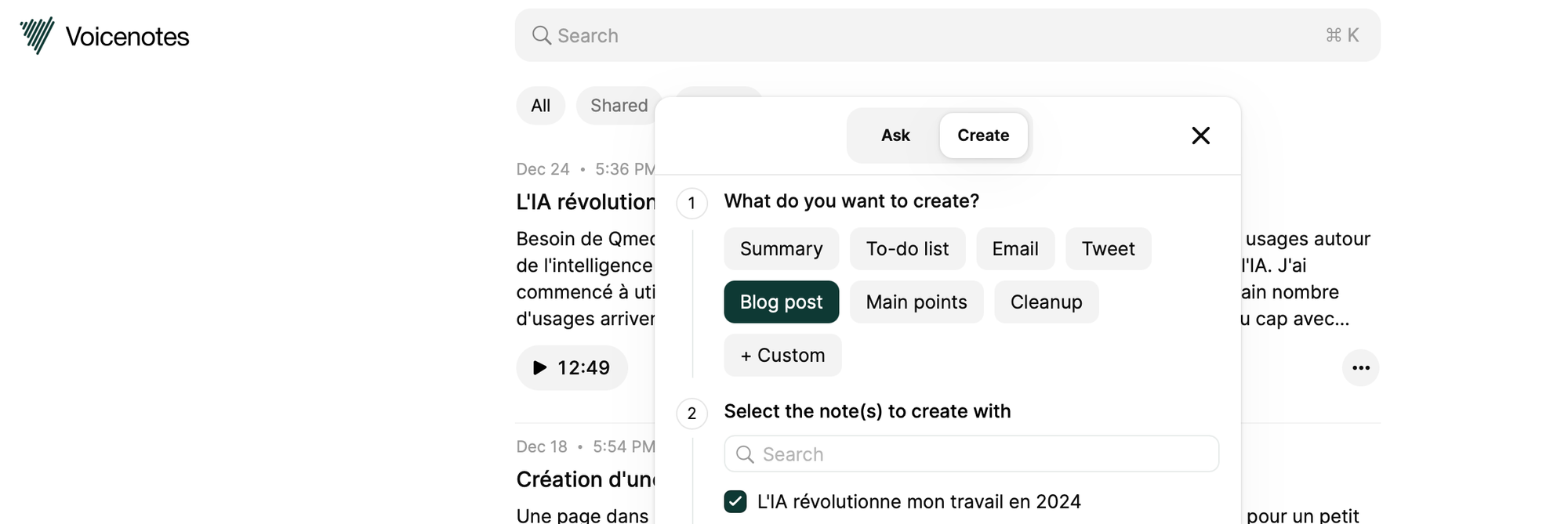
VoiceNotes for transcription
At the end of the year, I started using VoiceNotes to make my voice note taking easier. Indeed, now everything I write started as a voice note. This helps me a lot to get the idea out of my head and allow the AI to organize, synthesize or reformulate it. I used UpMeet for a long time, which is a very good solution but at 17 euros per month, I ended up getting cold feet. VoiceNotes is much more affordable and does exactly what I want it to do: turn my spoken ideas into well-organized text. It's simple to use and super effective, perfect for being productive. 📚
2. Search reimagined 🔍
Perplexity AI as an alternative to Google
I now use Perplexity AI instead of Google to do my searches. This tool is particularly useful for obtaining precise answers without having to open several web pages. Google is still useful for local searches, like finding a nearby store or restaurant, but Perplexity excels at summarizing complex information.
For example, if I want to understand a topic in depth, he brings together information from several reliable sources and presents it clearly.
It's like having a personal assistant who does all the sorting work for me. In addition, its interface is very intuitive, which makes each search quick and efficient.
3. Enriched visual creation 🎨
Ideogram for text-image integration This tool is perfect for creating images with text. It is simple to use and gives very professional results, which makes it a must-have for my creative projects. 🌟
Gamma for Presentations
Gamma is a great alternative to PowerPoint. I can create elegant presentations quickly, either from scratch or using existing documents. Its interface is easy to understand and very fast. 🖊️
4. Data Visualization 📊
Napkin for Charts
I discovered Napkin late in the year, but it changed the way I present data. It transforms texts into clear and aesthetic graphics automatically, which saves me a lot of time.
In addition to creating attractive graphics, it offers customization options to adjust colors, styles, and captions according to my needs. This makes my presentations much more professional and engaging. For example, I used it to prepare end-of-year reports, where each graph was not only informative but also visually impactful. Napkin also made it easier for me to collaborate with my colleagues, directly sharing visuals that were understandable and relevant. 🌐
5. Development made simple 💻
Bolt for prototyping
At the end of the year, I discovered Bolt, a new no-code development tool. This tool allows you to create applications and prototypes quickly, even without in-depth technical knowledge.
There is a magical side to seeing the application code itself at crazy speed from a simple prompt.
For example, in a few minutes I designed a Tinder type application to choose movies... even though I have absolutely no coding skills and I did not rely on an existing solution.
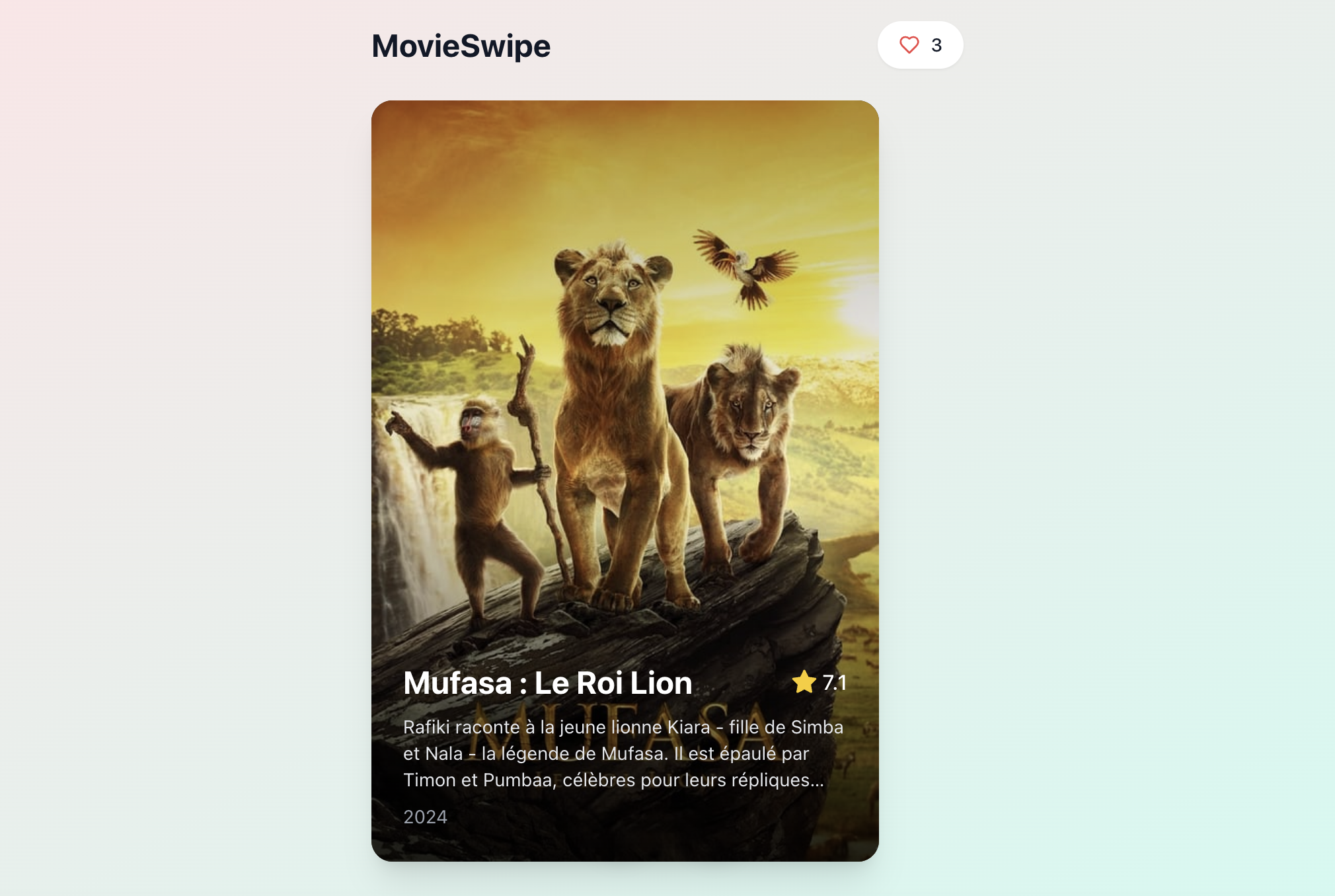
In addition to saving time, it simplifies processes that would otherwise have been complex. This experience also inspired me to consider other projects, like apps for organizing events or interactive to-do lists.
It's a great way to realize ideas quickly, while discovering the potential of no-code. 🎥
Impact on my daily professional life
All these tools have transformed the way I work, making my processes faster, intuitive and creative. I was able to complete more projects in less time and with increased quality. They helped me to be faster in the execution of many tasks to emphasize where AI is not yet ideal.
Perspectives 2025 🔮
Next year promises to be exciting.
Use cases that are multiplying and ever more tools efficient, this promises to broaden the field of possibilities.
I'm going to test as many things as possible and see how I can best support those who haven't taken the AI plunge... while continuing to share with you in this newsletter.