Canva: the ultimate graphic design app
Greg Taieb · · 4 min read
As I explained to you in the anniversary issue, one of the satisfactions I get from writing this newsletter comes from the connections it allows me to make.
So, last week I had lunch with a long-time reader who towards the end of the meal said to me:
What I like about your newsletter is that we always learn something!
He took as an illustration information which seemed almost anecdotal to me when I decided to relay it and which nevertheless taught him something.
One more proof that what is “known” or natural for a person can be a revelation for another. This is also one of the bases of impostor syndrome against which I still often fight.
So I decided from now on to go back to the basics and talk to you regularly about a tool or service that is part of my must have! So out with the latest cool app and back to basics on tools that have withstood the best of tests...Time.
We start this week with Canva.
What is Canva ?
Canva is an online application that allows anyone to create a quality visual thanks to thousands of templates and a super simple editing tool.
All accessible from your web browser (even if there are iOS, Android, Mac and Windows applications).
Why is it a must?
Canva is an incredible application for 3 reasons that I will detail here:
- Its templates
- Its editor
- Its ecosystem
The primary strength of Canva is the variety of use cases that it addresses. Whether you want to create a post for social networks, an invitation, a CV, a logo, ... there are dozens of templates that are already the right dimensions.
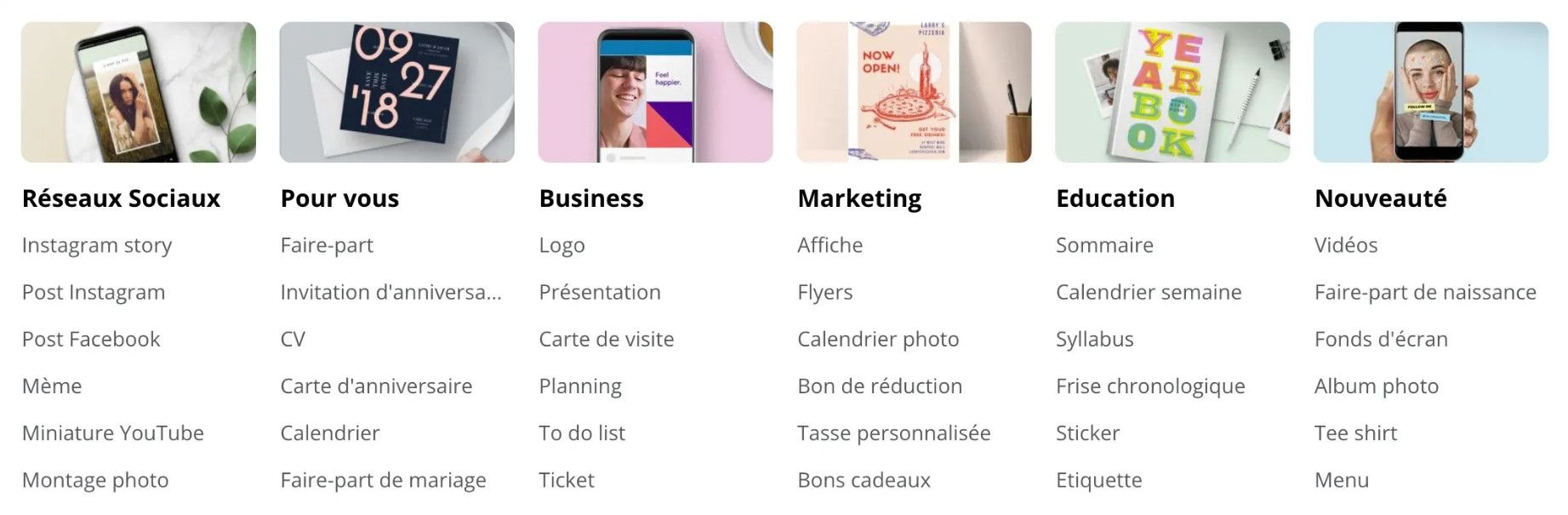
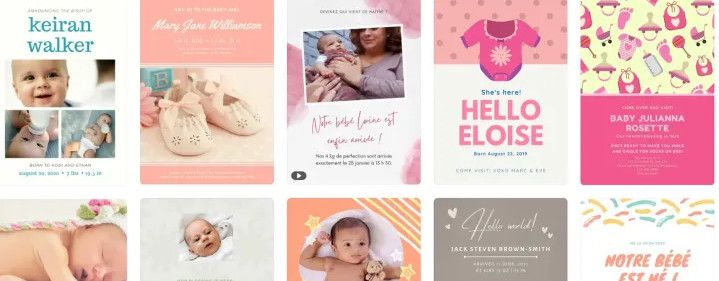
The templates are classified by theme and you can therefore very quickly find a birth, wedding or housewarming announcement. All graphic styles are represented and it is always qualitative.
Once the model has been identified, it's up to you to personalize it to your liking. This is where Canva's second strength comes into play: its editor.
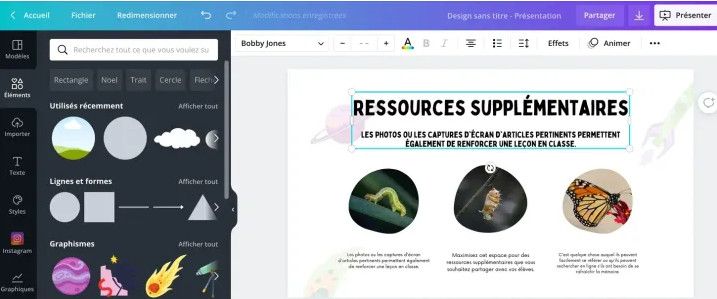
Canva's editor is as simple as it is powerful. In my opinion, this is a textbook case. You can do absolutely everything in an interface that requires no training to master. Text editor, graphic elements (shapes, images, videos, gifs, etc.), possibility of adding effects or animating elements, layers, etc. Each element is editable.
You then have the possibility of downloading your work in a bunch of formats and you even have a presentation mode (because yes, Canva is also an incredible alternative to Powerpoint).
Finally, how to move on to the ultimate strength of Canva: its ecosystem which is constantly developing.
Initially designed as a simple online photo editor, Canva now handles presentations, graphics/infographics and even videos. You can also connect many applications that will make your life easier.
Integrating a Youtube video into a Canva creation or publishing an illustration created on Canva directly on Twitter or Linkedin is now possible with one click.
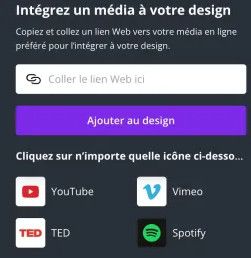
Similarly printing a poster or creating a photo album is also possible via these same integrations.
In short, the possibilities now seem endless, always maintaining a certain consistency while keeping the application simple to use.
Finally, Canva is a collaborative tool which easily allows you to share models or work with several people on them.
How do I use Canva?
It’s very simple, I use Canva for EVERYTHING.
As soon as I need to make something a little pretty, I'll dig into the templates and modify them according to my needs.
- The logo of this newsletter? It's Canva.
- The identity of Encore Un Podcast ? It's still Canva.
- The visuals and presentation of my webinars? It's of course Canva.
- My illustrations for Linkedin or my site? It's still Canva.
In short, as you will have understood, this application is a must as soon as I have a graphic support to create.
I have never been creative and it allows me to save a lot of time while being autonomous without ever sacrificing quality.
How much does it cost?
The good news is that you can use Canva very widely without ever paying. The paid options give you access to image libraries to use for your designs and some additional editing features. Really nothing essential.
Canva's special plans are free for teachers and associations, which is an excellent initiative.