How I built my LinkedIn and X dashboard without their APIs
Greg Taieb · · 7 min read
I publish and exchange every day on LinkedIn and X. I wanted to answer a fairly simple question: what does all this activity really produce?
How many posts? How many comments and replies? What times am I most active? Which posts generate reactions, responses or impressions?
Platforms provide some of this information. The problem begins when we want to reconcile them, store them and read them over time.
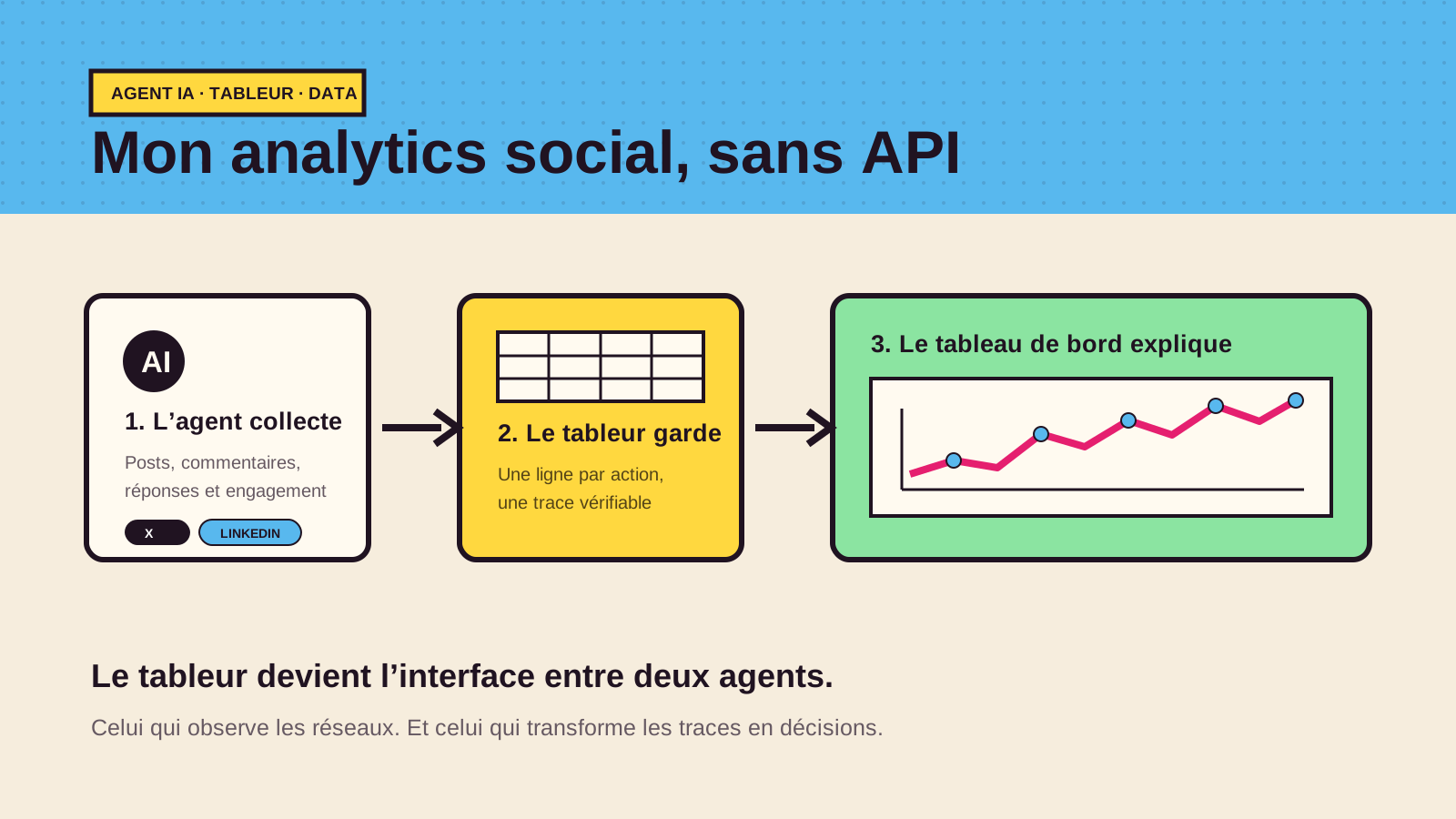
I could have started with the official APIs. But that of X quickly represents a significant cost for a personal need, while access to LinkedIn data is more complex to implement. So I built another path: an AI agent collects my own posts and their results, stores them in a spreadsheet, then an application transforms this file into a dashboard.
The real product is not the dashboard
The dashboard is the visible part. It is the one that displays the colored maps, activity curves, distributions by language or type and the comparison of publications.
But the interesting part is upstream.
The real system has three bricks:
- an AI agent which observes my accounts and finds the posts, comments and responses that I have published;
- a spreadsheet file which keeps a structured line for each action and each measurement;
- a private web application which reads this file and calculates the indicators.
In other words, I did not create a screen connected directly to LinkedIn and X. I separated the collection from the analysis.
This distinction seems technical. However, it changes everything.
Step 1: the AI agent does the collection work
The agent browses the networks with my account and finds the content that I have published. For each element, it retrieves what it can observe: date, time, platform, type of action, text, link and, when available, reactions, shares, replies and impressions.
It doesn't just look for original posts. The log can also contain comments, replies, thread continuations and measurements taken later.
This approach is different from a traditional API integration. The agent acts as an automated operator that reads the interface, with a limited cadence and on my own data. This avoids making the project dependent on the economic model of an API, but it creates other constraints: an interface can change, a session can expire and certain metrics are not always visible.
I am therefore not trying to make people believe that this collection is perfect. On the contrary, I keep track of what was observed and what is missing.
Step 2: the spreadsheet becomes the source of truth
The agent then writes the results in a spreadsheet file, now hosted in Google Sheets. It is the equivalent of an online Excel file: easy to open, correct and export.
Each line can contain:
- the date and time;
- the platform and identity used;
- the type of action and the language;
- the target, the detail and the text;
- the link to the publication;
- the verification status ;
- reactions, shares, responses and impressions;
- respondents and the date of the last measurement.
Why not write directly to a database? Because the spreadsheet brings four very concrete advantages here.
It is readable. I can open the source and immediately understand what the system thinks it knows.
It is correctable. If the agent misclassifies an action or reads a figure wrong, I can correct the line.
It is portable. I can export it, archive it or feed it into another tool without rebuilding the entire collection.
It decouples the two parts. The agent can evolve without modifying the dashboard. And the interface can change without touching the agent.
The spreadsheet is not a temporary solution. It is the contract between the system that collects and the one that analyzes.
Step 3: the dashboard reads the file directly
The web application does not have its own copy of the data. After authentication, a server function reads the useful range of the Google Sheets sheet and transforms each line into a structured object.
The browser receives only the authorized lines. It can then:
- filter LinkedIn, X or global rows;
- count interactions, posts and active days;
- display activity by day, week or month;
- break down actions by hour, type, language, identity and status;
- compare posts by reactions, replies, shares, impressions and engagement rate;
- return to the original text and source link.
A refresh button rereads the sheet. There is no mysterious synchronization: when the agent enriches the spreadsheet, the dashboard has the new material the next time it is loaded.
The most important rule: an empty box is not a zero
When we automate the collection, the main risk is not always the wrong number. This is the too clean number.
If a post doesn't show its impressions or the agent couldn't read the number of shares, the value remains missing. The dashboard displays a dash. It does not transform the absence of information into an absence of commitment.
The overall rate follows the same logic. It is only calculated on publications that have the necessary reactions, shares, replies and impressions, with positive impressions. I prefer an incomplete but honest indicator to a precise percentage built on invented zeros.
What this architecture teaches me
1. An agent can override an integration, not its safeguards.It can do the collection work, but plan for interface changes, interrupted sessions, and incomplete reads.
2. A simple middle layer is often better than a direct connection.The spreadsheet makes the system inspectable. I can see the transition between what the officer observed and what the board displays.
3. Traceability matters more than real time.For this use, I do not need a counter updated every second. I need to be able to return to the publication, the measure and its date.
4. The best dashboard starts with log qualityCharts don't fix ambiguous collection. They only make it prettier.
Why I find this montage interesting
AI agents are often presented as tools that discuss or write. Here, the agent does something more modest and more useful: it maintains usable data where a classic integration would be too costly or too complicated for the need.
The result is not a universal architecture. For a product sold to thousands of customers, I would probably look for official integrations and stronger guarantees. To monitor my own activity, however, this combination is suitable: an agent to observe, a spreadsheet to keep, an application to understand.
You can discover the complete presentation of the project on the page LinkedIn Dashboard & X.