Conversations with AI: How I turned my ideas into working applications
Greg Taieb · · 6 min read
Until recently, developing an application required strong programming skills. You simply had to be a developer, and there was no viable alternative. However, in recent years, a first revolution has emerged: no-code tools (like Airtable or Concept). Thanks to these tools, it has become possible to create applications via a graphical interface, by assembling modules like Lego blocks. This approach has allowed many non-technical people to meet their needs without writing a single line of code.
But these no-code tools had their limits: they imposed a rigid framework with predefined functionalities. Impossible to go beyond the options offered by the platform.
The arrival of large language models (LLM) and generative AI has changed this situation.
These systems, trained on millions of lines of code from repositories such as GitHub, are now capable of generating functional code from natural language instructions. In other words, you can describe what you want to achieve, and the AI takes care of transforming your instructions into code.
For several months, these hybrid tools – combining chat interfaces and code generation – have made it possible to develop applications without advanced technical knowledge. And this progress is not limited to a few publicity effects: I myself have been able to test their power in recent months.
From idea to reality: a path now accessible
If you are like me, you have certainly had many ideas for applications, services or projects that could have seen the light of day... if only you had had the necessary technical skills. How many times have I imagined innovative solutions without ever being able to realize them or even test them on a small scale? Result: certain promising projects had to be abandoned, due to lack of technical skills to bring them to life.
In recent weeks, I have tested several tools such as Bolt or Lovable, which offer a new way to develop and deploy web applications: everything is done via a simple conversational interface.
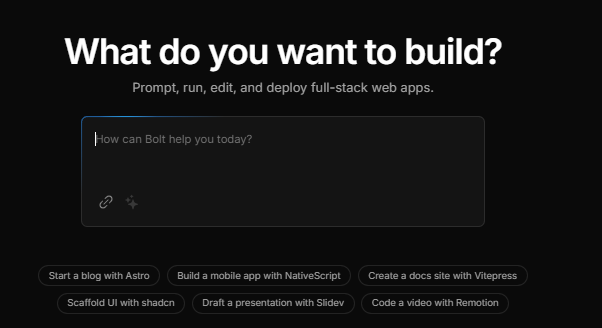
The concept is as simple as it is ingenious. You describe the application or features that you want to implement in a chat window. The tool then automatically generates the corresponding code and offers you a preview. But that's not all: where these tools stand out is that they also cover the deployment stages, a point that was still problematic until recently.
Previously, even if an AI tool was capable of generating code, there were still many hurdles to overcome before having a working application. Developers had to manage in particular:
- Deployment: configure servers, ensure that the application runs correctly online.
- The database: essential for storing information, users, or any other essential data. An application without a database cannot memorize anything.
These new solutions now make it possible to automate these critical steps, thus bridging the gap between code generation and the operation of a web application in production.
For the first time, you have access to the complete chain, from the initial idea to being put online.
- Idea I describe the application in the chat
- Code The tool generates it automatically
- Preview A preview is displayed
- Going live Automated deployment and database
Project #1: my “personalized YouTube”
The inspiration for this project comes from a recent video by Shubham Sharma, in which he explained how he used AI-based development tools to create an app that could display only recent videos from YouTube channels he's interested in.
This prototype spoke to me a lot, because I too have often faced the problem of overloaded YouTube feeds.
The problem
When we arrive on YouTube, we quickly find ourselves drowned in a mixture of videos, a large part of which does not interest us. Result: we spend much more time than expected looking for what we want to watch. With a little more time than Shubham, I decided to take this concept further and develop my own “personalized YouTube”.
The solution
The application that I developed now allows me:
- To only add content creators that interest me.
- Organize them by categories (AI, music, education, entertainment, etc.).
- Display videos published in the last 24 hours, week or month in one click.
Creating this application turned out to be more complex than it seemed because I had to connect to the YouTube API to retrieve important data: the list of creators, their number of subscribers, information about the videos (titles, thumbnails, publication dates, etc.).
And yet, despite the complexity of these steps, I managed to achieve all of this without any prior programming knowledge. I simply used the tool's conversational interface, connected the necessary services, and refined my application over the course of iterations. I've also added improvements like a dark mode, filters to sort videos, and advanced management of creators and categories.
Today, this application is fully operational and perfectly meets my needs.
 Lovable
Project #2: my menu management app
The problem
If you have a family, you probably know the headache of meal planning. For some time now, we have gotten into the habit of planning our menus for the coming week, in order to anticipate shopping and avoid the eternal question: “What are we eating this evening?”. However, the traditional method – a simple paper list – has its limitations. We often end up going around in circles with the same 15 to 20 dishes.
That's where the idea came to me to develop an application that could meet this recurring need: historicize my menus, manage a database of the dishes we like, and facilitate their planning via a weekly calendar. I also thought about potential improvements like generating statistics on the most prepared dishes, but first I wanted to create a functional version of the application.
The solution
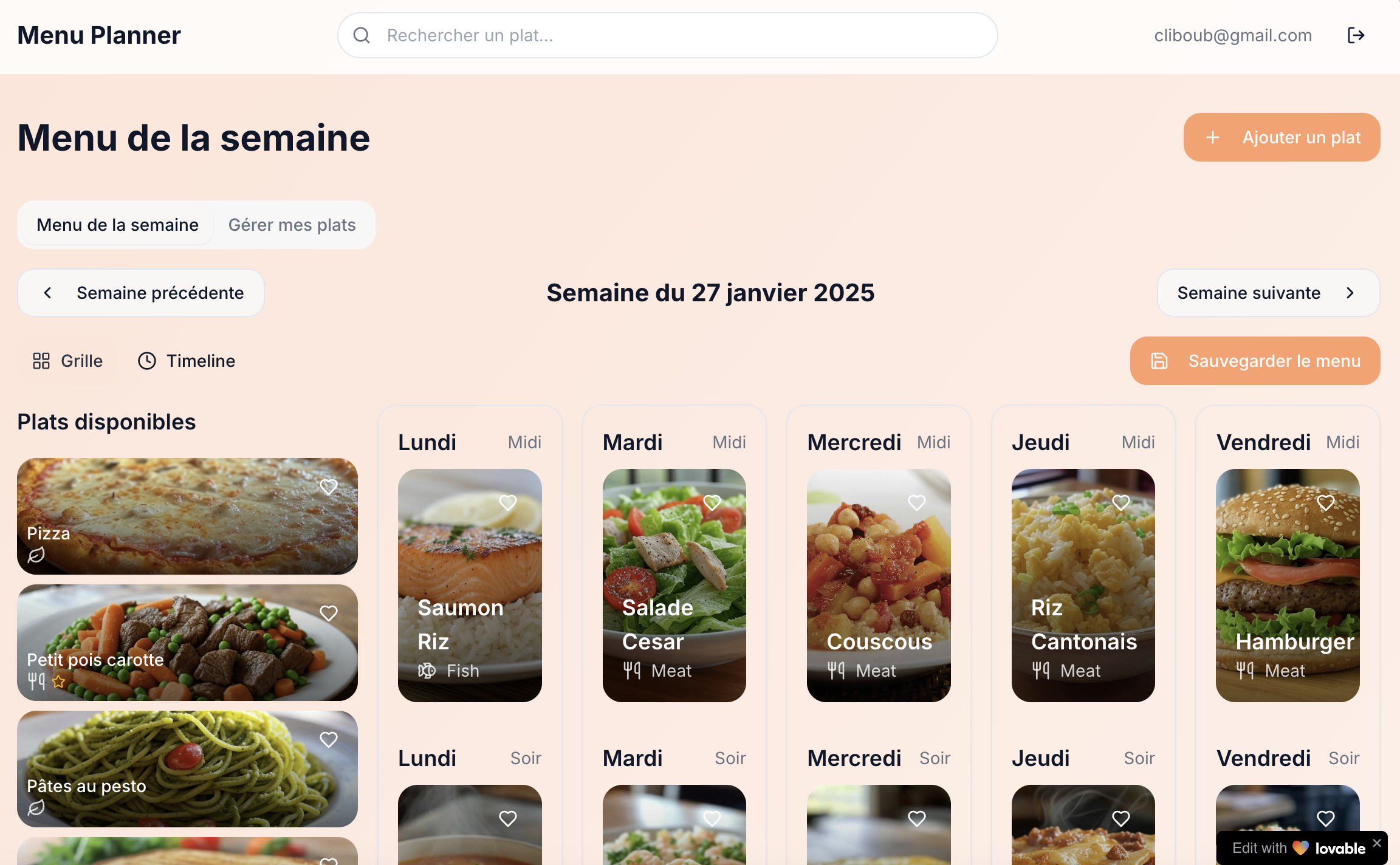
The application now supports the following functionalities:
- Management of a dish database: I listed the 15 to 20 dishes that we make regularly.
- Drag-and-drop scheduling: I just need to move the dishes on a weekly calendar.
- Menu logging: the application saves previous menus, which allows you not to repeat the same recipes too often.
Each member of the family can access the schedule, view upcoming menus or suggest ideas. This system not only simplifies the organization of meals, but also the management of shopping. Once again, I have not found any application on the market capable of meeting this need so precisely.
AI now turns my ideas into applications
These two projects, which would have been beyond my reach a few months ago, are today practical and functional tools in my daily life. Thanks to advances in generative AI and new platforms like Bolt or Lovable, I was able to transform my ideas into deployed applications in record time. This silent revolution in development could well allow everyone to realize projects that they previously thought were unrealizable.
If you have ideas for applications that you want to develop, don't wait any longer: these tools could be a game changer for you too!
And if you're interested, I can offer you an article or video that shows step by step how to create and upload an application from scratch.