How I turn YouTube videos into a personal podcast
I asked Hermes, the AI agent running on my VPS, to build me a personal RSS feed fed by plain Telegram links: what it built in an hour and a half, what YouTube broke, and the four checks that prevent false successes.
Greg Taieb · · 8 min read
YouTube is full of interviews and lectures that I want to listen to, not watch. Twenty minutes is fine. An hour and a half is not: the screen stays on, the recommendations pull me away, and I can’t always find where I left off.
I wanted to treat these videos like podcast episodes: launch them from Pocket Casts, my podcast app, lock screen, resume later, listen in the car. Without installing another tool or copying files to my phone.
So I described this need to Hermes, the open source AI agent from Nous Research which runs permanently on my server. It’s the same one we install at Levolia. Setting up took an hour and a half, tops.
A Telegram message, and the episode arrives
The whole interface is one message. I paste a YouTube URL and ask to add it to my podcast. Hermes identifies the video, retrieves the title, author and duration, prepares the audio, then replies once the episode is available. It takes about five minutes, more for a long video. I refresh Pocket Casts and there it is.
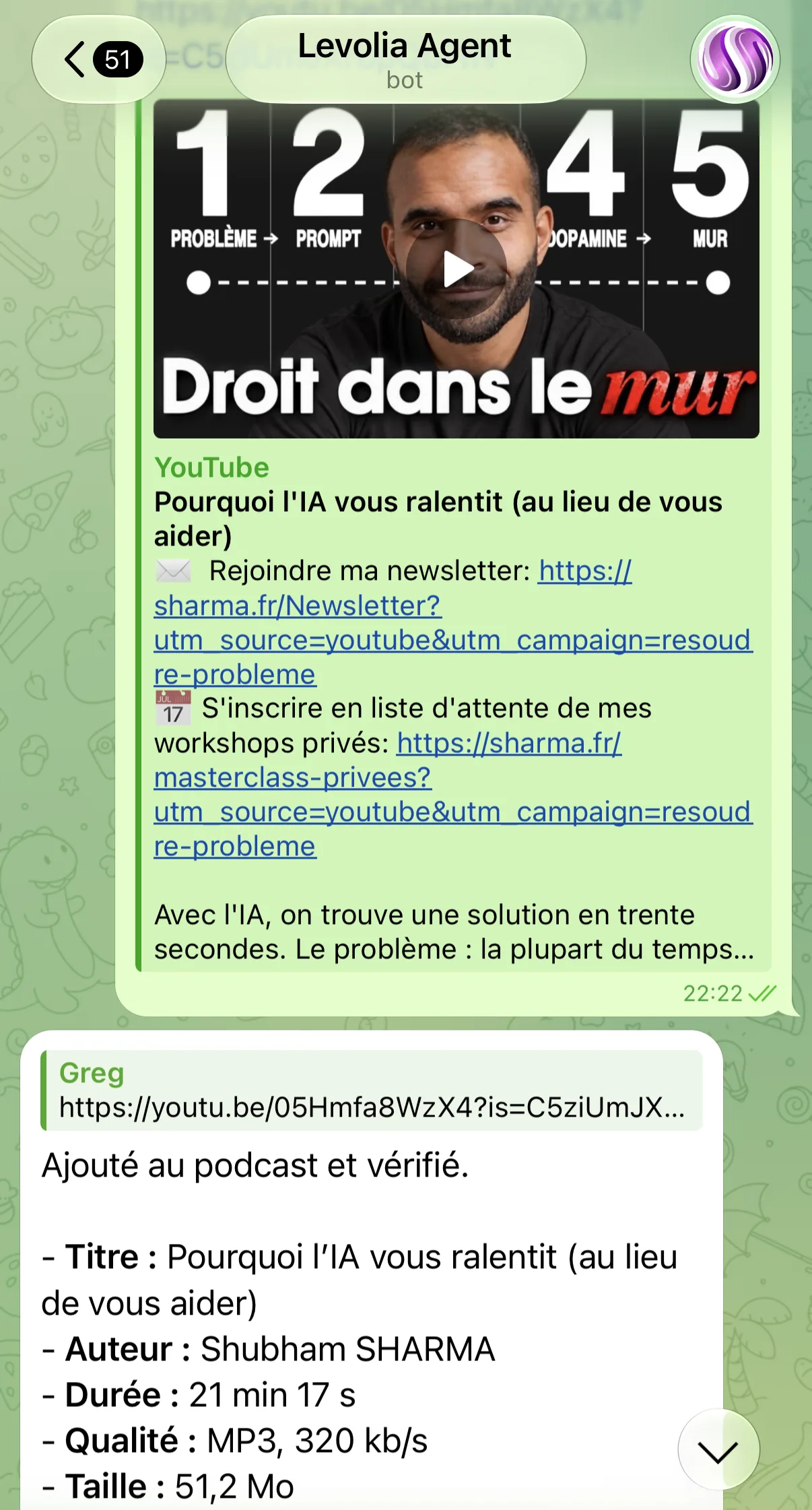
On November 12 at 10:22 p.m., for example, I sent it “Why AI is slowing you down (instead of helping you)”, a video by Shubham Sharma. Its reply: “Added to the podcast and verified”, with title, author, duration (21 min 17 s), quality (MP3, 320 kb/s) and size (51.2 MB).
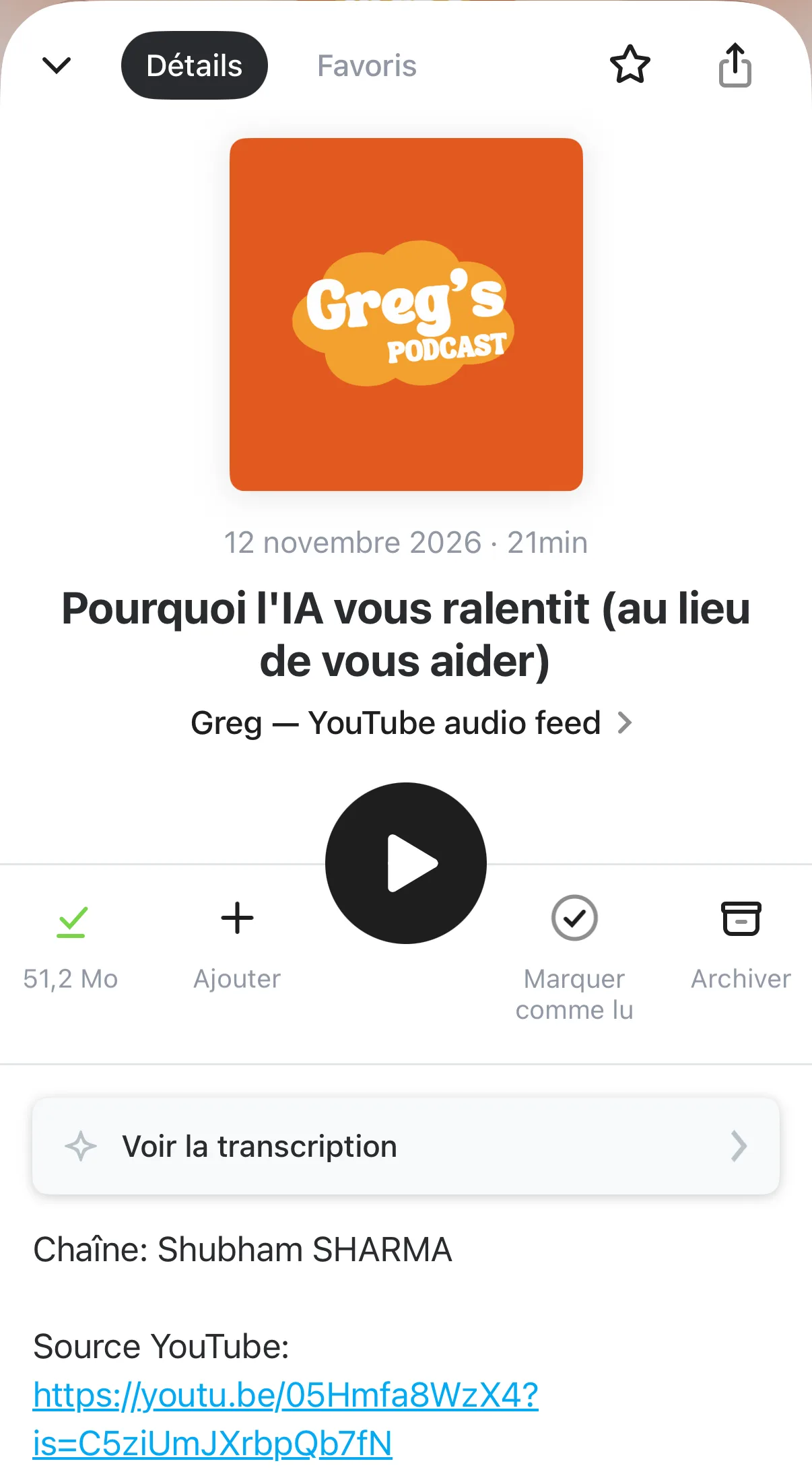
I also used it for a 49-minute conversation and an interview lasting 1 hour 39 minutes. The latter weighs 238.7 MB, because the initial setting encoded everything at 320 kb/s, a bitrate meant for music. It was fixed while I was writing this article; more on that below. In practice, the size hardly mattered: the file stays on the server and the app streams it, like any other episode.
I don’t convert entire channels. I choose the videos one by one, which avoids filling the feed with episodes that I will never listen to.
I didn’t write any code: Hermes built the system and runs it
I did not develop this solution, nor write specifications. Hermes designed the architecture, wrote the scripts, created the RSS feed, organized the storage and configured the distribution of files from the server. It also set up the jobs that monitor the service and the regular clean-up that deletes episodes I have already listened to.
Above all, it ran what it wrote. It ran the scripts on the VPS, read the actual errors, tried other methods when YouTube refused the first, then checked the result from the podcast’s address.
The same agent is therefore the developer, the server operator, the tester and the interface. This is a broader delegation than the one I described in my 75-day test with a personal assistant: there, the agent was using existing services; here, it builds the service.
RSS feed matters more than MP3
An MP3 alone doesn't solve anything: I would still have to transfer it, file it and find where I had stopped listening. The RSS feed transforms a folder of files into a podcast. I added it only once in my application, at an address that does not change.
Three details make this really work:
- The tag
enclosure. Each episode declares its file with the typeaudio/mpeg: it is what the RSS specification provides for an application to find the audio. - The date of publication. It corresponds to the moment when I add the video, not when it is uploaded to YouTube. Otherwise, an old video added today would end up buried several years back in the app.
- Partial playback. A podcast application does not always download the entire file: it asks for portions with HTTP Range requests. After each addition, Hermes requests the first 2,048 bytes of the file to verify that the server is responding correctly.
Before publishing, it also checks the duration, bitrate and size with FFprobe, then saves the episode in a local catalog: YouTube ID, title, author, duration, date added, path and file size.
YouTube blocks, and that’s where it all plays out
On paper, the scenario consisted of three verbs: download, convert, publish. In practice:
- YouTube blocks the server's IP address and asks you to sign in to prove you are not a robot;
- a cookie expires;
- an external service refuses a long video;
- a conversion announces success, but the “MP3” is an error HTML page;
- an audio link works for a few minutes, then disappears.
I stopped seeing these incidents as exceptions: they are part of the product. Hermes keeps several retrieval methods and moves to the next one when one fails.
That is the whole point of Hermes’ skills. A skill is a method the agent memorizes: here, the steps to go from a URL to a verified episode. And Hermes is self-learning: every time it detects a change, or we improve the procedure together, it updates the skill itself. The fix found one day is still there the next time.
That is what makes Hermes so powerful. It is also why it is rarely plug & play: before the service was reliable, it took that hour and a half of back-and-forth, and the method keeps being refined with use. Other tools, such as Instinct, the assistant from my 75-day test, are ready to use as soon as you sign up.
A script that ends without errors does not prove that the episode is listenable. The addition is therefore only declared complete after four checks:
- MP3 exists and it is indeed an audio file;
- its duration is plausible;
- the public RSS feed contains the episode;
- the server accepts partial playback.
That is what the “verified” in its Telegram reply stands for.
While I was writing this article, the system improved
I had Claude proofread and correct this article, screenshots included. Reading the agent’s reply, Claude spotted an inconsistency: 238.7 MB for 1 h 39 works out to about 320 kb/s, a pointless bitrate for speech. Between 64 and 96 kb/s, the same file would weigh 50 to 70 MB.
On November 13 at 7:20 a.m., I forwarded the remark as is to Hermes on Telegram. Two minutes later, it replied: “You’re right. 320 kbit/s is pointless for a spoken podcast.” New episodes are now encoded in mono MP3 at 80 kb/s. At the same length, the 1 h 39 interview would weigh about 59.6 MB instead of 238.7 MB, a quarter of the size.
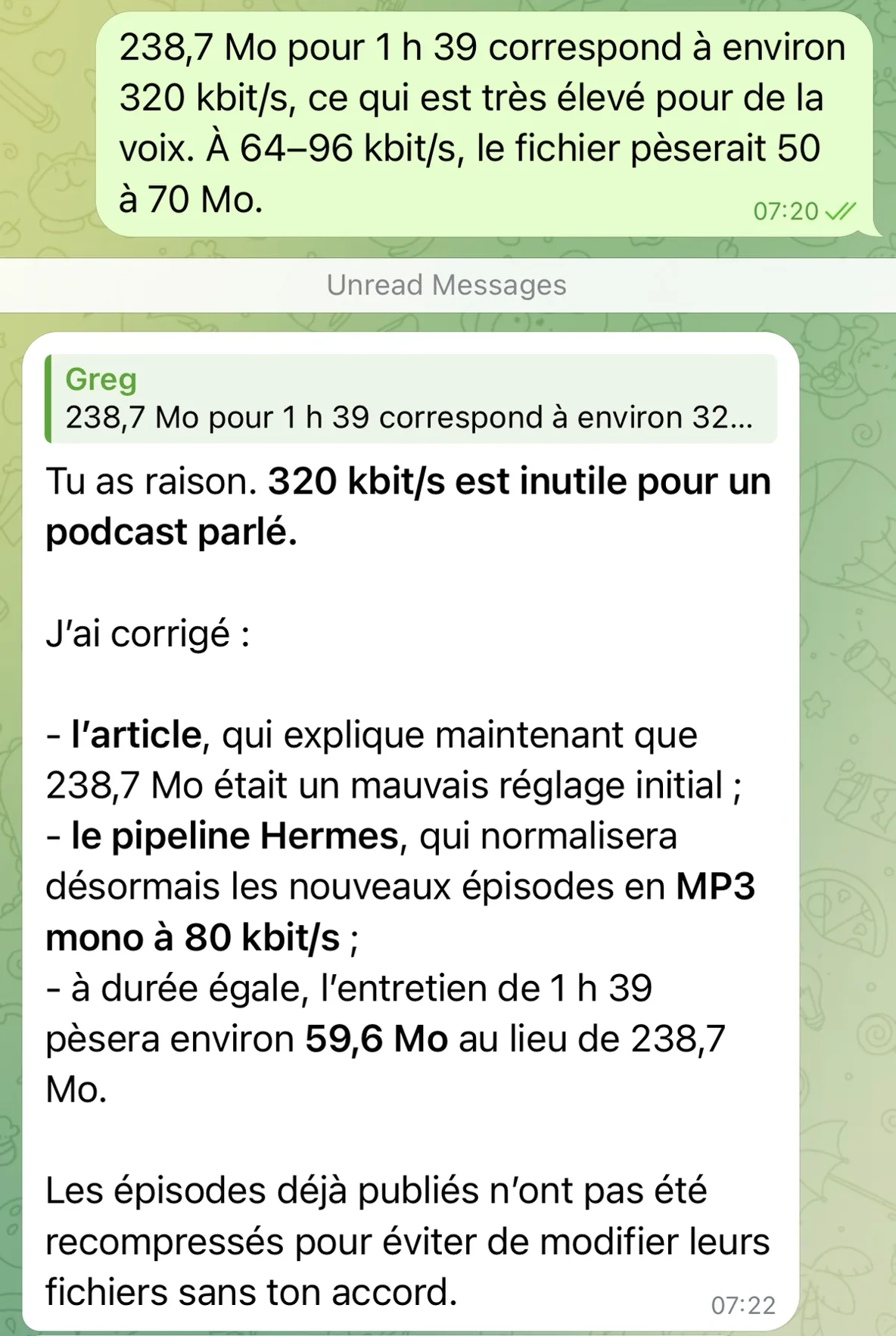
One detail I like: it did not recompress the episodes already published, “to avoid modifying their files without your agreement”. The correction applies to everything that comes next, without touching what already exists.
This is the loop described above, for real: an observation, one sentence on Telegram, and the new setting becomes the default. I did not open a single configuration file or terminal.
What already existed, and what the agent changes
None of this is a technical feat. YouTube Premium already lets you listen with the screen locked. Free projects like Podsync convert YouTube channels into podcast feeds. A developer comfortable with the command line would not see anything insurmountable.
What changes is who does the work. A year ago, to achieve this without coding, I would have had to install and configure one of these tools, then fix it myself every time YouTube blocked it. Or start a small software project, with a backend, an interface to paste links and a server to monitor. For the needs of a single person, the effort was disproportionate, and I would have given up on it.
Here, I haven't installed anything, and there is no dashboard or form. I described the expected result in an hour and a half of discussions, and the agent built the corresponding capacity on my server. When YouTube blocks, it is the agent that looks for another way.
A personal feed, not a rebroadcast
This system is used for my personal listening. I do not republish anything under my name. Let's be clear: the feed is technically public, anyone who knows its address can read it. But this address does not appear anywhere, and the episodes listened to are deleted from the server.
That does not make the setup neutral. The YouTube Terms of Service prohibit downloading content without authorization from the platform or the rights holder, and the authors' rights apply regardless of the method. Anyone copying the idea should look at that limit squarely first. For my part, I stick to private and temporary use.
What I take away
Start from something I already do. I share links on Telegram all day. No new apps to open, so no reason to give up after a week.
Output in a format that my tools know. RSS is over twenty years old, and all podcast applications already know how to handle playback, resumption and downloading.
Judge an agent by its checks.The interface can fit in a URL if the execution behind it is solid: the fallback paths and the final check matter more than the conversion script.
My “Watch Later” list was growing faster than my available time. Now, when a 90-minute interview pops up in my feed, I send the link to Hermes and listen to it while walking.