My wife wanted to make an Excel file. I published an iPhone app.
Greg Taieb · · 4 min read
This year, we're planning a family road trip. And as every time we try to optimize a trip, it goes in every direction: one stay on Airbnb, another on Booking, an activity on GetYourGuide, an excursion booked directly. Some reservations can be cancelled, others require a deposit, others are paid on site.
After three days, my inbox looked like an air traffic control center.
My wife made a perfectly reasonable proposal: “Honey, I'll make an Excel file.”
That's what 95% of people would have done. But the more I thought about it, the more I could see the columns, the filters, the statuses, the cancellation deadlines, the deposits, the balances, the addresses… I was already rebuilding an application.
So I built it. It's called Trip Control, and it is on the App Store today.
328,000 lines of code, and I'm not a developer
To understand why I could do this in a few hours rather than six months, I have to go back a little.
For years, my job consisted of being an interface. I had the ideas, I understood the needs, but I always stopped at the threshold of execution. I translated an intention into specifications, handed them to a technical team, then waited.
With the arrival of tools like Lovable, I saw an opening. What I had taken for an absolute skill, knowing how to write code, turned out to be a barrier about to fall.
In 2025, I shipped 328,000 lines of code, the equivalent of a small team of developers, in my free time. A dozen applications, from a personal tool to a marketable SaaS, with Google and LinkedIn authentication, conversational agents, real-time audio transcription, and connections to third-party APIs.
I did not “learn to code”. I removed the intermediary between my idea and the product. Not by learning the syntax, but by learning to ask with precision, and to understand why the AI was wrong so I could guide it better.
The last wall: the iPhone
One barrier still held: mobile, and especially iOS. Another way of developing, a developer account to create, Apple submission rules with a reputation for being merciless. I kept putting it off.
For Trip Control, I ended up letting ChatGPT Codex take over my computer. Not only to write code: it opened the browser, operated the applications, filled in the forms. It went through every step, from creating the Apple account to submitting for review, while I watched.
It's exhilarating. And a little frightening, let's be honest.
The result does exactly what we needed:
- I forward a confirmation email and the reservation is imported automatically;
- each stay, activity or point of interest is linked to Google Maps, and I see the whole trip on a map;
- I can see at a glance what is paid, what remains to be paid, what can still be cancelled, and the deadlines to watch;
- I can ask questions about my trip with AI and share it with the people coming with me.
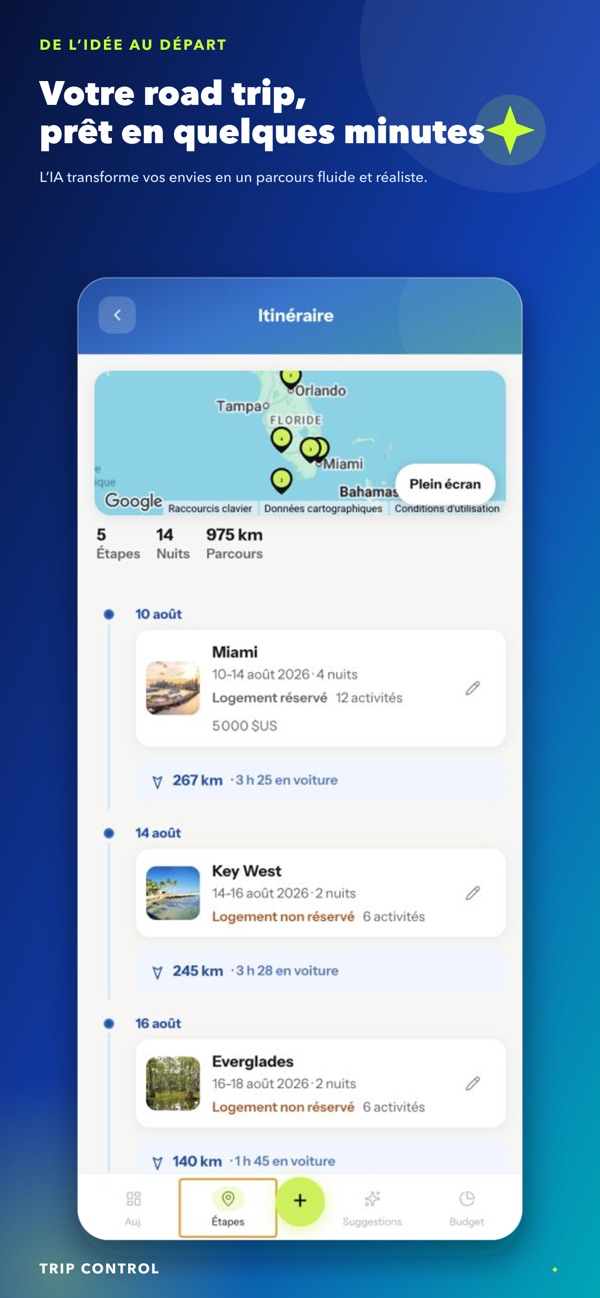
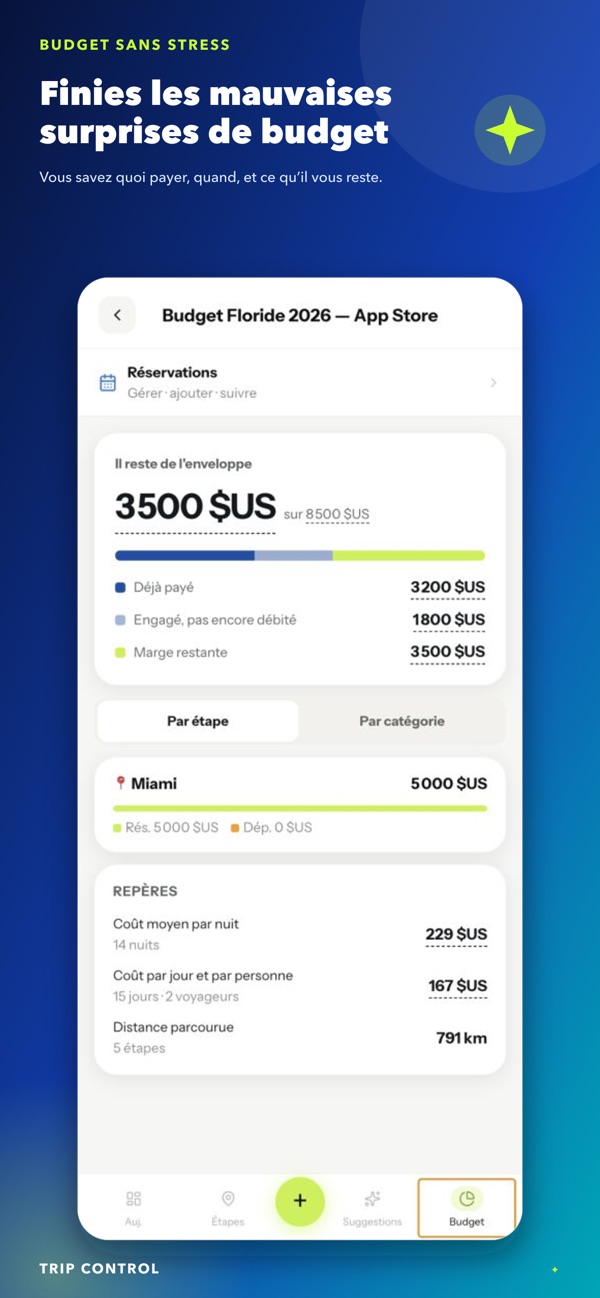
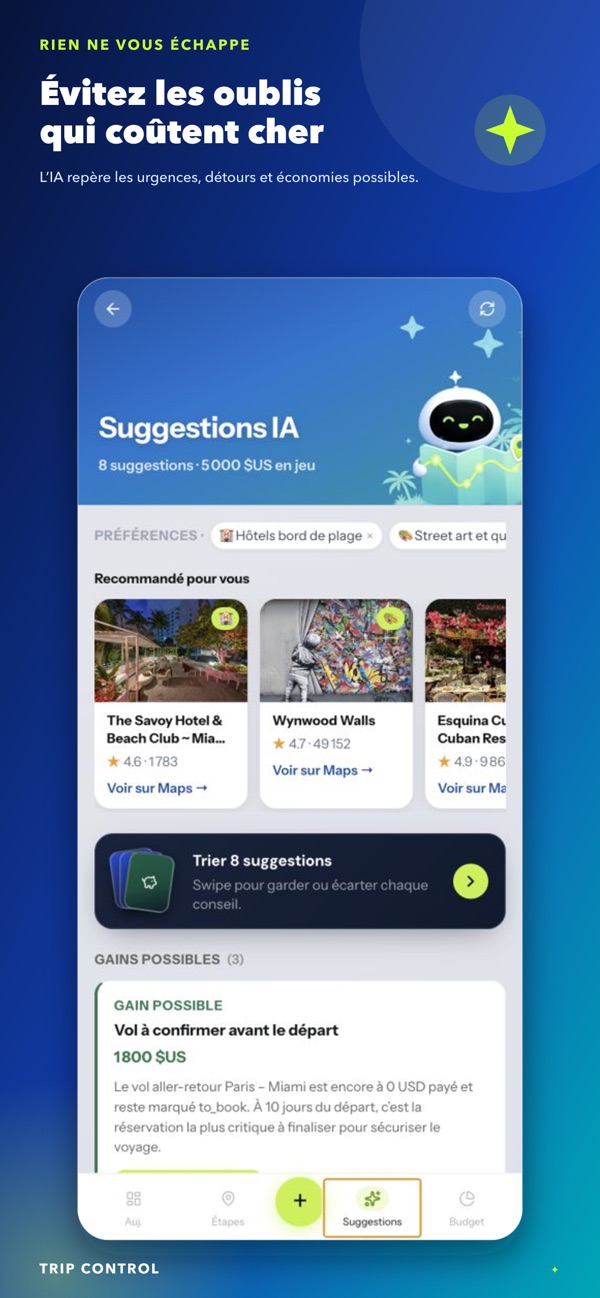
The AI advises, but the user always decides.
What stays human
If I stopped there, this would be a nice story about “AI does everything”. That is not the case.
Supervision. An AI that drives your computer has to be watched. I reread every step that touches an account, a payment or a key. The spectator stays responsible.
Testing for real. When Apple published its rules for the future iPhone Duo, I ran Trip Control through them. Lots of small details to think about, and the simulator is not always enough. Nothing replaces the device in your hand.
The storyboard. For the app's demo video, Claude relied directly on the source code, and therefore on the real screens. But the storyboard, real human work, is what makes the difference between a video that explains and a video that just looks pretty.
Thinking for agents. I watched Manus book a complete trip in three minutes. On tools that have an API, it flies. On those that don't, it struggles. If tomorrow your applications are used more by agents than by humans, every new feature has to ask two questions: how my users will use it, and how an agent could use it effectively.
The skill that is becoming rare
Two years ago, the idea of Trip Control would have stayed in a corner of my mind, or become a six-month project that never got finished. Today, we no longer look for the least bad tool. We build exactly the one we need.
If producing code costs almost nothing, the only thing that becomes rare is the relevance of the request. Tomorrow's skill is no longer knowing how to build, but knowing exactly what to build.
Trip Control is free on iPhone: download it on the App Store.
And you, what is your latest “Excel file” that actually deserved its own application?